

Until now, Bondnow worked in one direction. You could call your mum, your dad or your grandmother whenever you liked, but they had no way to call you. With Bondnow 1.9.2, they do.
What’s new at a glance
- Your loved one’s Bondnow screen can now show the family members you choose, and one touch calls them
- You choose who appears, up to four people, in Manage Device
- A red Alarm button that calls one person you pick, in a single press
- The call rings on your own phone, and never answers itself
Now they can call you
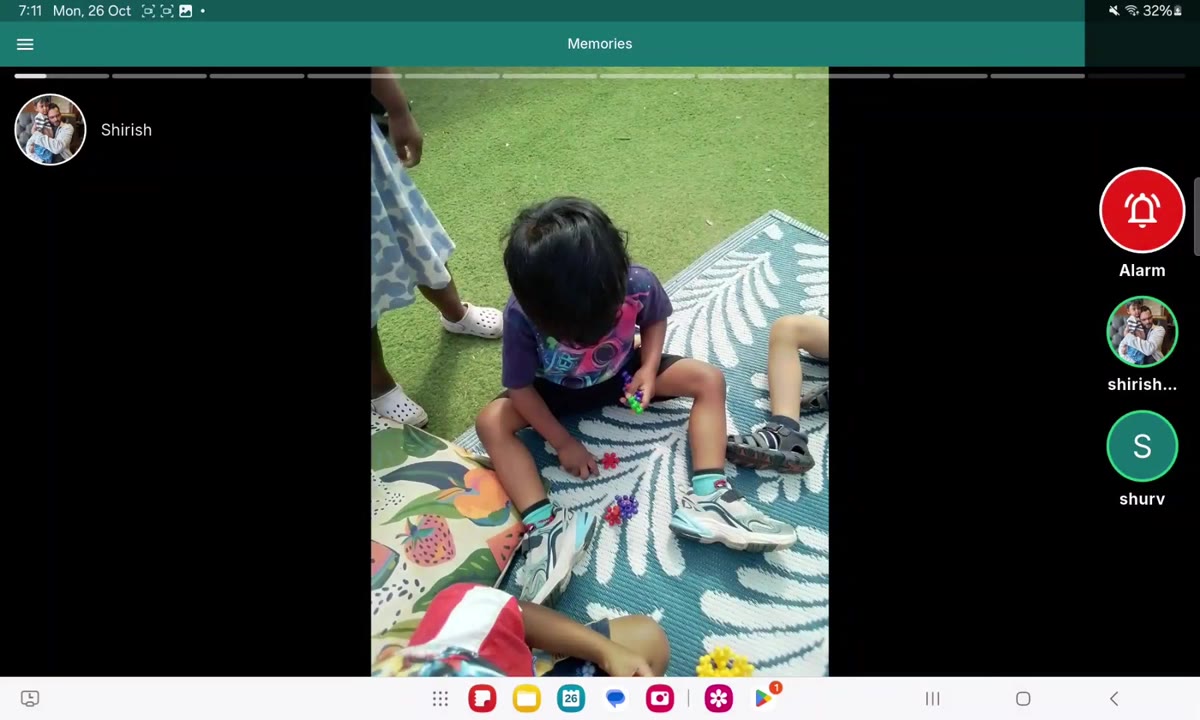
On the Bondnow screen, a slim strip sits along the right-hand edge. It shows the photos of the people you chose, with their names underneath. To call one of them, your loved one touches their face. That is all.
Touch anywhere else on the screen and the strip opens into a fuller panel, with the contacts two by two. It folds itself away again after ten seconds if nobody touches it, and it steps aside during a call so it never sits on top of the other person’s face.
If you’ve used Bondnow before: nothing changes on their screen until you switch two-way calling on. It is off until you do.
You choose who they can call
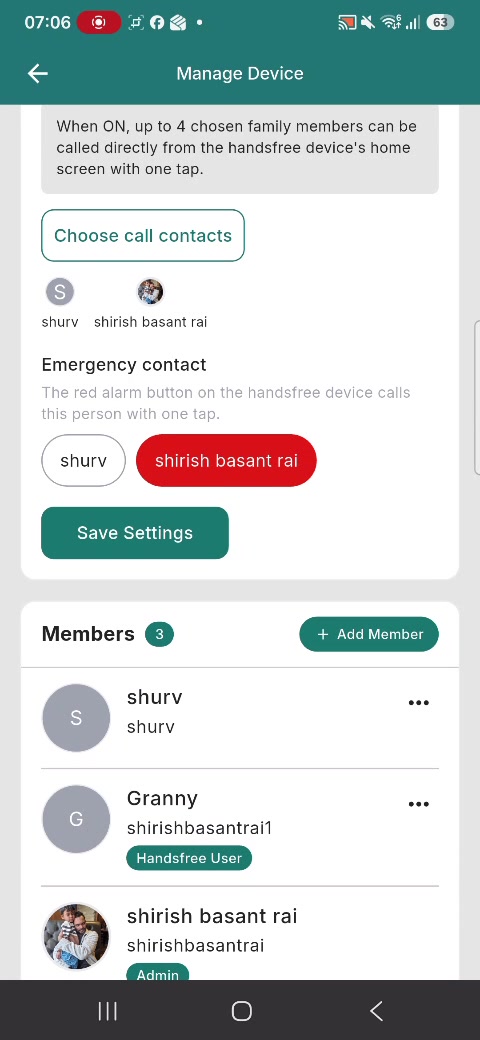
Open Manage Device in the family app and turn on Two-way calling. Then choose up to four family members from the group. Only people who have accepted their invitation can be chosen, and the choice is yours: your loved one cannot add or remove anyone.
Press Save Settings and the change reaches their screen within a couple of minutes, even if nobody touches the tablet.
If you’ve used Bondnow before: only group admins can change this, and it does not affect any of your other settings.
One red button for the person who matters most
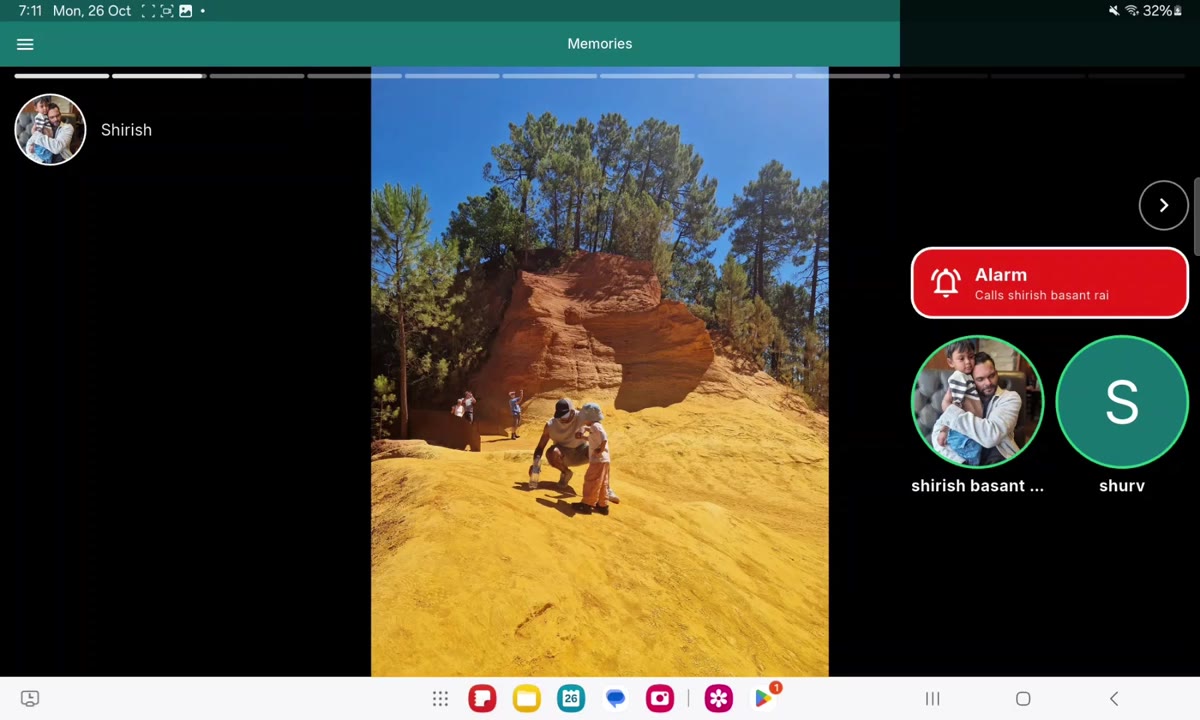
In Manage Device you can also pick an Emergency contact from the people you chose. When you do, a large red Alarm button appears on their screen. One press calls that person straight away, with nothing to confirm.
To be clear about what it is: the Alarm button is a quick way to reach someone in your family. It is not an emergency service, it does not call 999, and Bondnow does not monitor anyone. In an emergency, always call 999.
If you’ve used Bondnow before: the button only appears once you have chosen someone, and you can clear your choice at any time.
Your phone rings, and it never answers itself
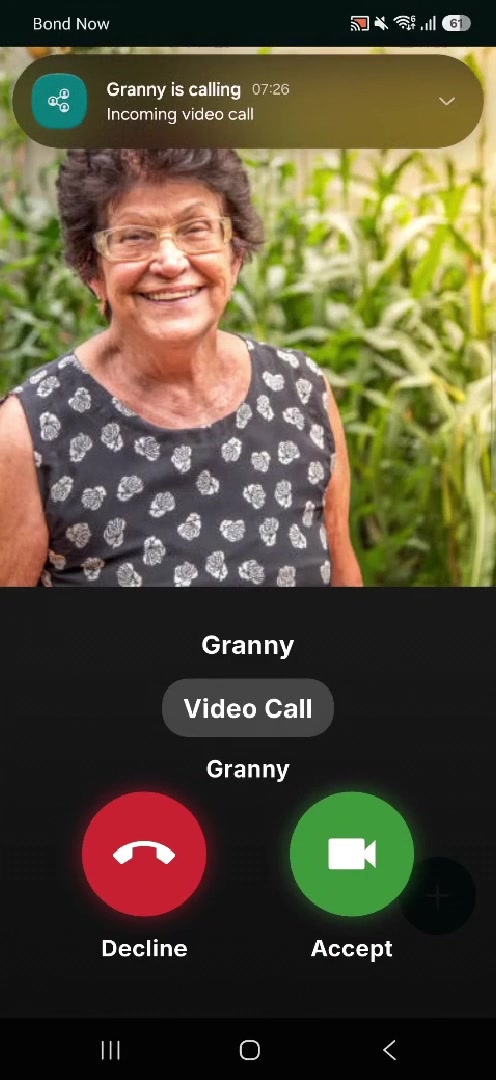
When your loved one calls, your phone rings with your own ringtone, whether Bondnow is open, in the background or closed. You decide whether to answer. It never picks up by itself and it never speaks over you.
These are video calls, and they ring only the person who was chosen. Other members of the group can see that a call is going on, as with any Bondnow call. If nobody answers within 45 seconds, the call ends.
If you’ve used Bondnow before: calls from you to them work exactly as before. On an iPhone, if Bondnow is closed, you will get a notification with a sound instead of a full-screen ringing call. Tap it to answer.
For the Family Companion App
- Manage Device: a new Two-way calling switch, with a list to choose up to four contacts
- Manage Device: a new Emergency contact choice for the red Alarm button
- An incoming call from your loved one rings on your phone, and never answers itself
On the Handsfree Device
- A side strip with the contacts you chose, and the Alarm button if you set one
- One touch on a face places the call
- Touch anywhere to open the full panel, which folds itself away after ten seconds
Two-way calling is a small change with a simple idea behind it: the people we love should be able to reach us as easily as we can reach them. If it helps your family, or if it should work differently, tell us. We build Bondnow together with the families who use it.
Looking for a gift for a parent who lives alone? Read Alexa as a Christmas gift for an elderly parent, and what to give instead.