
In This Article
- Why Hands-Free Communication for Seniors Matters Now
- Key Facts at a Glance
- The Science of Connection: What Research Really Shows
- Understanding Senior Independence Technology
- Hands-Free Tech for Elderly Safety: More Than Just Calling
- What Is the Best Communication Device for the Elderly?
- How to Choose the Right Platform for Your Family
- Getting Started: Making Hands-Free Communication Work for Your Family
Why Hands-Free Communication for Seniors Matters Now
Hands-free communication for seniors isn’t a luxury feature. For millions of older adults across the UK, it’s the difference between staying connected to family and living in quiet, daily isolation. If you’re a working adult caring for an elderly parent, you already feel the gap. Calls go unanswered. Video apps confuse. And the guilt of not visiting enough doesn’t ease with a quick text message.
This guide covers everything families and care professionals need to know: the clinical case for daily connection, an honest comparison of leading platforms, and practical advice on choosing the right solution. Whether you’re supporting one parent at home or managing communication across an entire care home, you’ll find clear, evidence-based answers here.
Key Takeaways
- Social isolation is directly linked to accelerated cognitive decline and increased depression in older adults.
- Traditional smartphones and tablets fail most seniors not because of motivation, but because of design.
- Hands-free and auto-answer technology removes steps entirely, rather than simply reducing them.
- The right platform should require nothing from the senior user, ever.
The Hidden Cost of Isolation in Later Life
According to Age UK, more than 3.9 million older people in England are chronically lonely. That figure carries real clinical weight. The Alzheimer’s Society links prolonged social isolation to a significantly elevated risk of developing dementia. Similarly, the NHS identifies loneliness as a key driver of depression, anxiety, and declining physical health in later life.
These aren’t abstract statistics. Behind each one is a person sitting alone, waiting for someone to call. The challenge isn’t that families don’t care. It’s that modern life leaves very little margin, and when elderly relatives can’t operate standard devices, even a simple check-in feels out of reach.
Why Traditional Devices Are Failing Older Adults
Smartphones require dozens of steps to answer a video call. Tablets need updates, passwords, and app downloads. Even devices marketed as “senior-friendly” still demand that the user do something, whether that’s pressing a button, remembering a PIN, or navigating a home screen.
For older adults living with arthritis, low vision, or early memory loss, these steps aren’t inconvenient. They’re genuinely impossible. Age UK’s digital inclusion research consistently shows that millions of older adults are excluded from mainstream technology. The problem isn’t motivation. It’s that mainstream devices were never designed with older adults in mind. Hands-free communication for seniors works because it removes the steps entirely, rather than reducing them.
Key Facts at a Glance: Hands-Free Senior Communication
What Families and Care Professionals Need to Know
- Over 3.9 million older people in England are chronically lonely, with social isolation directly linked to accelerated cognitive decline. (Age UK, 2023)
- Senior independence technology such as auto-answer video calling reduces family anxiety and helps elderly relatives remain safely at home for longer, without requiring technical input from the senior.
- Simplified aging in place communication solutions that require zero setup from the elderly user consistently see higher daily engagement among adults over 75, compared to standard apps and devices.
- Hands-free tech for elderly safety, including auto-answer and voice-activated devices, is now recommended within dementia-friendly care environments by the Dementia Action Alliance.
The Science of Connection: What Research Really Shows
Dementia, Depression, and the Loneliness Link
The Alzheimer’s Society has published clear findings: loneliness and social isolation are associated with a substantially higher risk of developing dementia. Regular social contact, particularly with familiar faces and voices, is one of the most consistently supported protective factors across the research literature.
Mind.org.uk identifies chronic loneliness as a direct contributor to anxiety and depression in older adults. Daily visual contact with family reduces self-reported anxiety scores in isolated elderly people across both clinical and community settings. These are measurable, meaningful changes in daily quality of life.
How Regular Visual Contact Supports Cognitive Health
Seeing a familiar face matters more than many people realise. For people living with dementia, familiar visual cues, voices, and expressions help anchor memory and reduce distress. Regular video contact with family members provides that stimulus in a natural, joyful way, without clinical intervention.
The WHO Decade of Healthy Ageing 20212030 explicitly identifies technology-enabled social connection as a pillar of global healthy ageing strategy. Platforms like Dementia Share and BrightMind have shown how technology-enabled visual and cognitive engagement produces measurable improvements in wellbeing in real-world UK care settings.
The key factor is consistency. A ten-minute video call every morning builds routine. Routine is one of the most powerful tools available in dementia care. Platforms that make this daily contact effortless are contributing to something genuinely significant.
Understanding Senior Independence Technology
Technology helps elderly people live independently by removing barriers to communication, daily routine support, and family connection. The most impactful tools are those that require nothing from the elderly user themselves.
Auto-answer video screens allow a family member to check in visually without the senior needing to press anything. Smart speakers can set medication reminders using voice commands alone. There are two main categories of hands-free devices: voice-activated (such as Amazon Echo and Google Nest) and auto-answer devices. Voice-activated devices respond to spoken commands and work well for older adults with clear verbal ability. Auto-answer devices go further. They connect automatically when a family member initiates a call, without requiring any action from the senior. This category is critical for people living with dementia, aphasia, or severe mobility limitations.
Age UK’s digital inclusion evidence is clear: what older adults want most from technology is simple, reliable contact with the people they care about. The right tool always depends on the individual’s cognitive and physical profile.
Hands-Free Tech for Elderly Safety: More Than Just Calling
Passive Safety vs. Active Connection
There’s an important distinction between passive safety tools (fall alarms, door sensors, location trackers) and active connection tools. Passive tools monitor without connecting. Active connection tools restore something fundamental: the feeling of being seen, valued, and present in family life.
Hands-free tech for elderly safety does double duty: it provides families with genuine welfare reassurance whilst giving elderly relatives the daily human contact that protects their mental and cognitive health. These goals aren’t in tension. The best platforms achieve both simultaneously.
How Auto-Answer Video Calls Enable Gentle Welfare Checks
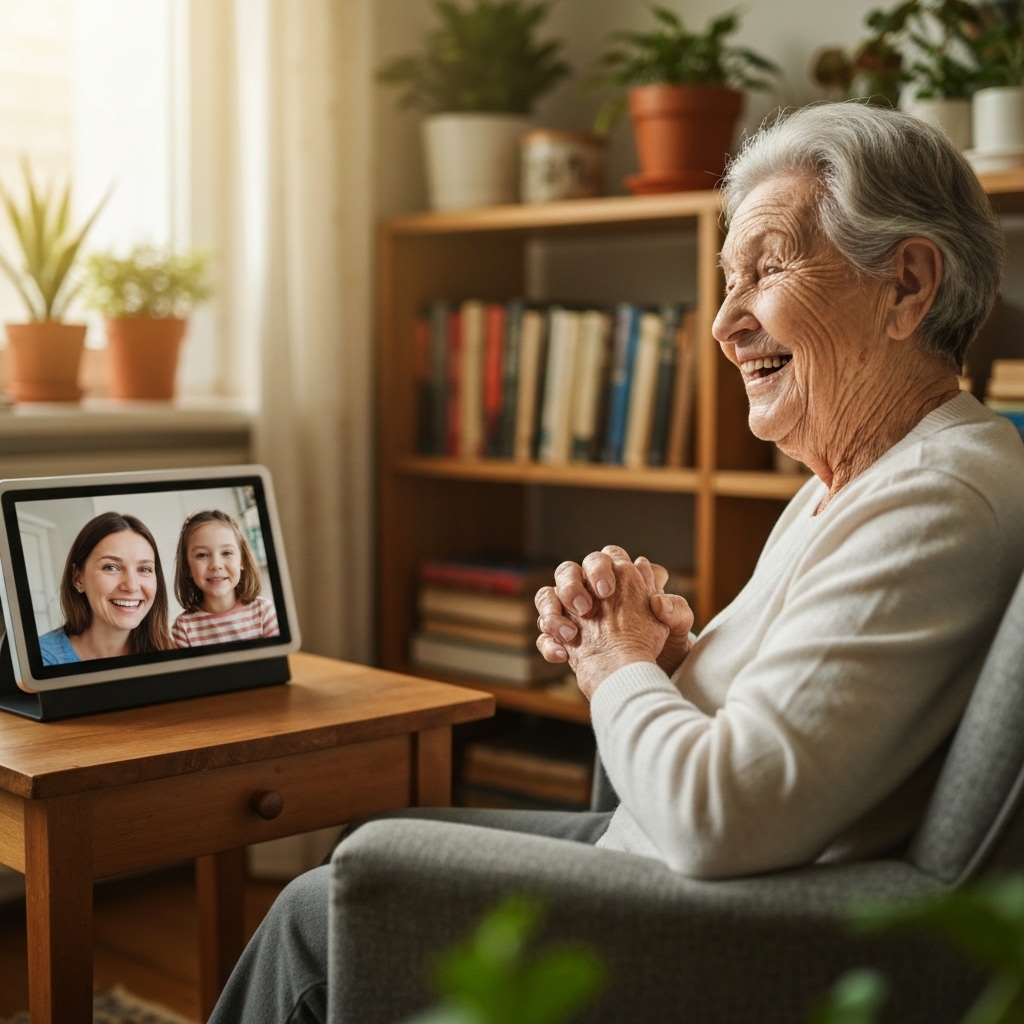
Auto-answer calling allows a family member to start a live video call that connects instantly on the senior’s screen, without requiring the senior to do anything. There’s no button to find, no app to open, no step to remember.
For a working parent, this means a genuine two-minute visual welfare check during a lunch break. You see your relative clearly. You hear their voice. You carry on knowing all is well. The Dementia Action Alliance highlights the importance of dignified, non-intrusive communication for people living with dementia. Auto-answer video calls meet that standard in a way that alarm systems simply cannot.
The Role of Photo and Video Sharing in Daily Wellbeing
Not every form of connection requires a live call. Photo drops, short video clips, and daily family moments shared automatically to a senior’s screen carry enormous emotional weight. A grandchild’s drawing, a birthday cake, a quick video from a school playthese signal something profound to an isolated elderly person: you’re still part of this family. Connection doesn’t always need a reply to be meaningful.
What Is the Best Communication Device for the Elderly?
There’s no single best communication device for the elderly. The right choice depends on the senior’s cognitive and physical profile, the family’s communication habits, and whether the solution needs to scale across a care home or serve one person at home. Here’s an honest comparison of leading platforms:
How to Choose the Right Platform for Your Family
Five Questions Every Family Should Ask
Before committing to any platform, ask these five questions:
- Does the senior ever need to do anything at all? If yes, it’s not truly hands-free.
- Can the whole family join and share? Connection works best when it involves everyone.
- Does it support both live video and photo sharing? Different days call for different types of contact.
- Is there a care home management dashboard if needed later? Needs change. The platform should grow with you.
- What’s the true monthly cost per user? Hidden subscription fees erode long-term trust.
Any platform that can’t answer yes to those questions isn’t ready for real-world family use.
What Families at Home Should Look For
For families supporting elderly relatives at home, daily check-in simplicity is the priority. The platform must work without Wi-Fi expertise from the senior, without app downloads from the senior, and without a single support call from your elderly relative.
Look also at grandchild-to-grandparent features. One of the most emotionally significant losses in modern family life is the erosion of the grandparent-grandchild bond. A platform that lets a six-year-old share a drawing with grandma, without either of them needing to understand the technology, restores something genuinely precious.
Getting Started: Making Hands-Free Communication Work for Your Family
BondNow arrives pre-configured. There’s nothing for the senior to do, ever. A family member downloads the companion app, sets up a family group, and the first auto-answer video call can happen the same day. The device simply needs to be placed somewhere visible and plugged in.
The most important principle: lead with faces, not features. Don’t explain the technology. Just make the call. Start with photo sharing. A stream of family photos appearing naturally on the screen feels joyful rather than unfamiliar. Once your relative is comfortable, introduce live calls gently and naturally. Let the experience do the work.
The key test of any hands-free platform is simple: if your elderly relative ever needs to press a button, ask for help, or remember a step, the platform hasn’t met its brief. Hands-free isn’t a marketing phrase. It’s a design principle.
Ready to restore daily connection with your family?
BondNow is zero setup for your elderly relative. Just faces, moments, and love, every single day.
2-month money-back guarantee. No technical skill required from your elderly relative.